Canceling your subscription
Cancel your subscription to stop it renewing. You can continue to use it until it expires.
If your subscription does not renew automatically, you do not need to cancel it. It will expire at the end of the subscription period.
To cancel your subscription, visit the subscription management website using the link we sent you by email when you purchased your subscription.
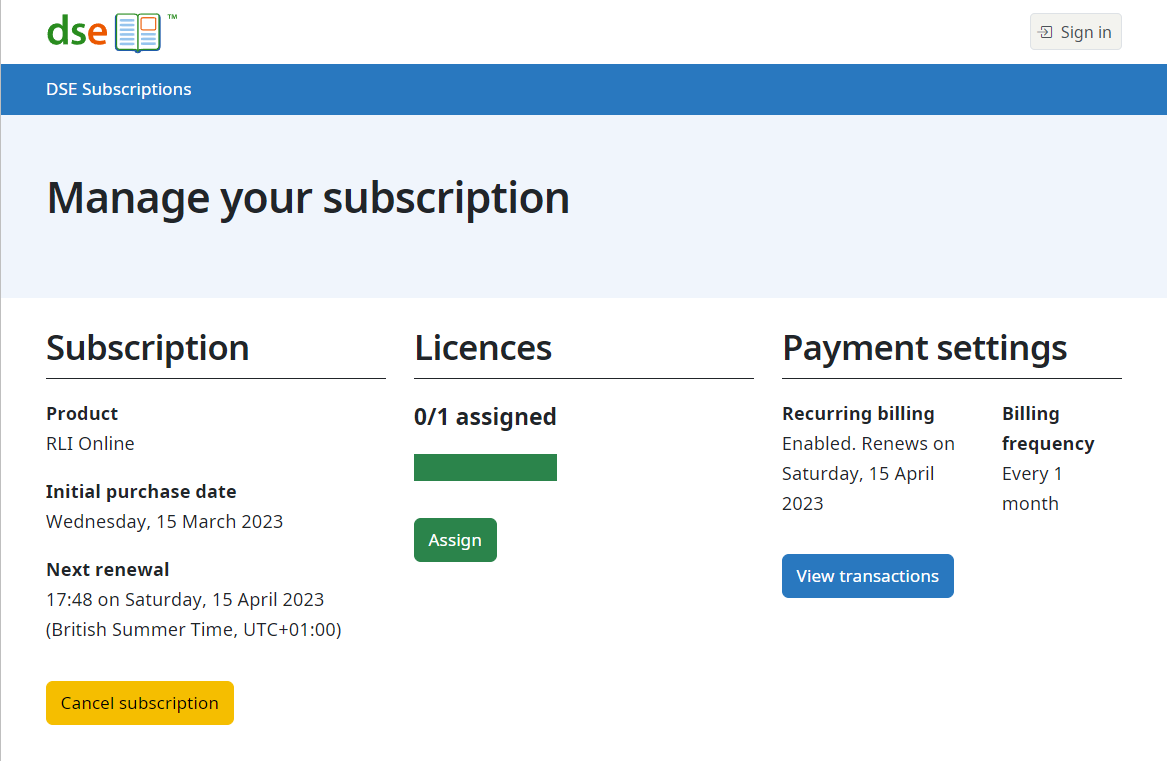
On the subscription management page, click the Cancel subscription link.
You will be asked to confirm the cancellation.
Cancellation cannot be reversed. If you change your mind, buy a new subscription when the canceled subscription expires.
The link to cancel is on the management page, which looks like:
If you no longer have the management link from your purchase email, contact us.
Subscription expiry
After cancellation, users can access the services or resources until the subscription expires.