Getting started with your subscription
The person who bought the subscription assigns each licence to a user. Each user then activates their licence with a DSE Client ID.
If you bought a subscription for yourself, complete both steps. If you bought several licences, repeat the process for each user.
On this page:
Visit the subscription management website
Visit the subscription management website using the link we sent you by email when you purchased your subscription.
You should keep this email so that you can return to manage your subscription in the future.
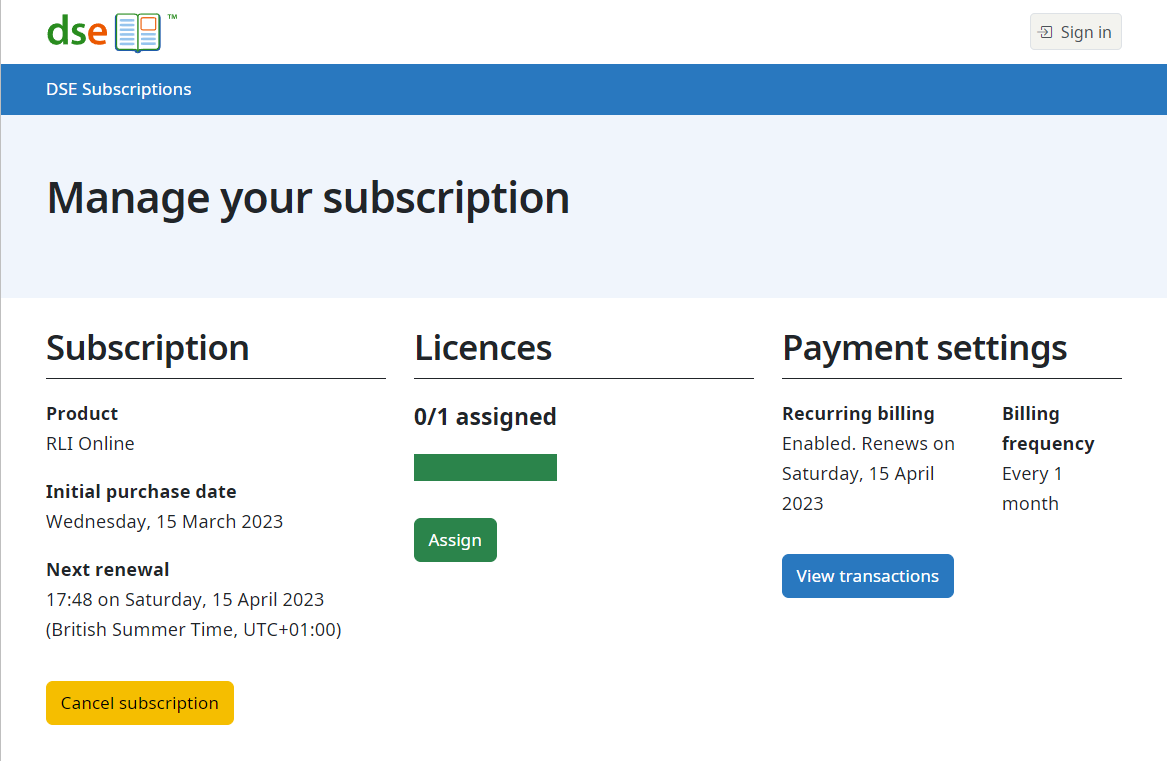
The management page looks like:
Assign a user licence
From the subscription management page, click the Assign link.
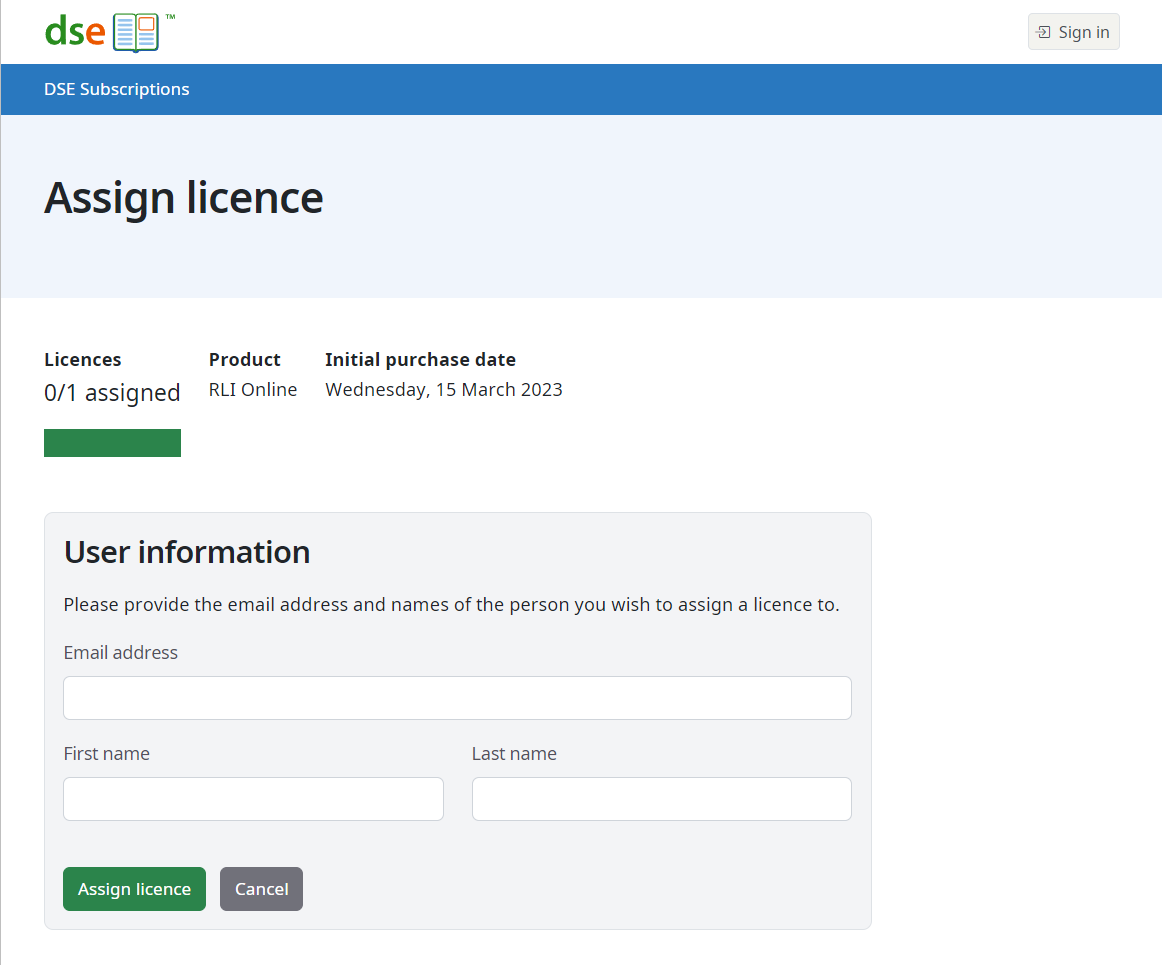
Enter the user's name and email address and submit to assign the licence.
The user will receive an email providing details of how to activate their licence and you will receive an email confirming the assignment.
The assignment page looks like:
Activate a user licence
The user who was assigned the user licence can activate it by following the link in the email they were sent.
After activation, the user receives instructions on how to access the services or resources included in the subscription.